Python’s New Frontier: How Text-Based Coding is Revolutionizing Educational Robotics
Python’s reign as one of the world’s most popular programming languages is well-established, dominating fields from data science and machine learning to web development and automation. However, some of the most exciting python news today isn’t happening in a data center or a high-tech startup, but in the classroom. A significant trend is emerging: the integration of text-based Python coding into educational robotics platforms, many of which have traditionally relied on visual, block-based programming. This strategic shift is more than just a feature update; it represents a fundamental evolution in how we introduce young learners to computer science, creating a powerful and seamless pathway from foundational concepts to real-world application. This article explores the technical underpinnings, pedagogical implications, and practical applications of this transformative movement in STEM education.
The Expanding Footprint of Python in Early STEM Education
The push to introduce coding to younger students has been gaining momentum for years. Initially, this was accomplished through visual programming environments that abstract away the complexities of syntax. Now, Python is stepping in to bridge the gap between these introductory tools and professional programming, providing a logical and accessible next step for students on their computer science journey.
Why Python is the Ideal “Next Step” Language
While block-based languages like Scratch or Blockly are exceptional for teaching computational thinking, logic, and sequencing without the frustration of syntax errors, students eventually need to transition to a text-based language to unlock more advanced capabilities. Python has emerged as the de facto choice for this transition for several compelling reasons:
- Readability and Simple Syntax: Python’s syntax is famously clean and intuitive, often resembling plain English. This lowers the cognitive load on beginners, allowing them to focus on programming concepts rather than wrestling with complex punctuation and structure, a common hurdle in languages like C++ or Java.
- Versatility and Power: Students learn a language that is not just a “toy” for education but a powerful tool used by professionals at Google, NASA, and Disney. This provides a clear connection between classroom activities and future career opportunities.
- Gradual Learning Curve: Python allows for a gentle introduction to programming paradigms. A student can start with simple procedural scripts and gradually progress to understanding functions, objects, and classes, all within the same language.
- Strong Community and Resources: The vast ecosystem of libraries, tutorials, and community support for Python ensures that both educators and students have a wealth of resources at their fingertips.
The Evolution from Visual to Textual Programming
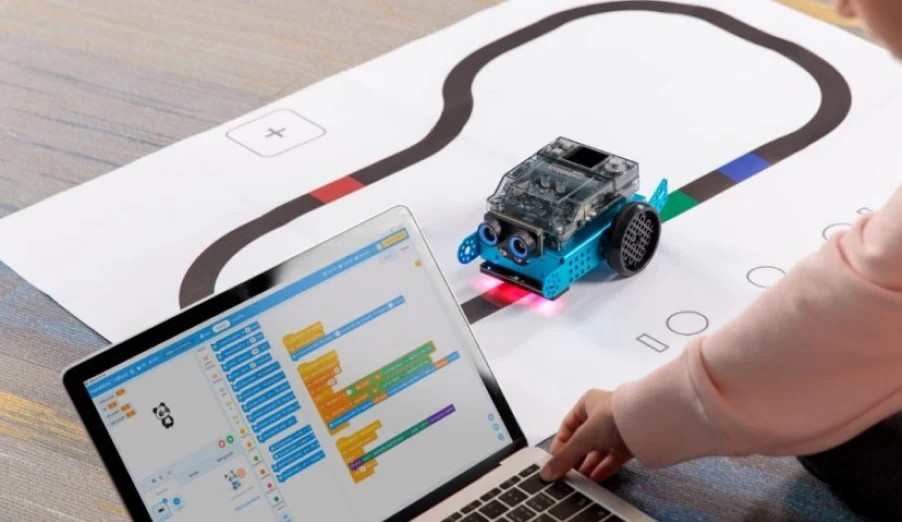
The latest python news in the educational sector is this deliberate and well-designed transition path. Many modern educational robotics platforms now offer a dual environment. Students can start by dragging and dropping blocks to make a robot move or react to a sensor. Then, with the click of a button, they can see the corresponding Python code that was generated. This “scaffolding” approach is incredibly powerful. It demystifies text-based coding by showing a direct, one-to-one relationship with the block-based logic they already understand. This evolution acknowledges the value of visual programming for beginners while creating a clear, supported ramp-up to the skills required for higher education and the modern workforce.
From Blocks to Text: A Technical and Pedagogical Breakdown
The magic behind integrating Python into a physical robot lies in a well-designed Application Programming Interface (API). This API acts as a bridge, translating high-level Python commands into the low-level instructions needed to control motors, read sensors, and manage the robot’s hardware. The goal is to provide powerful functionality without overwhelming the learner with unnecessary complexity.
Designing an Educational Robotics API
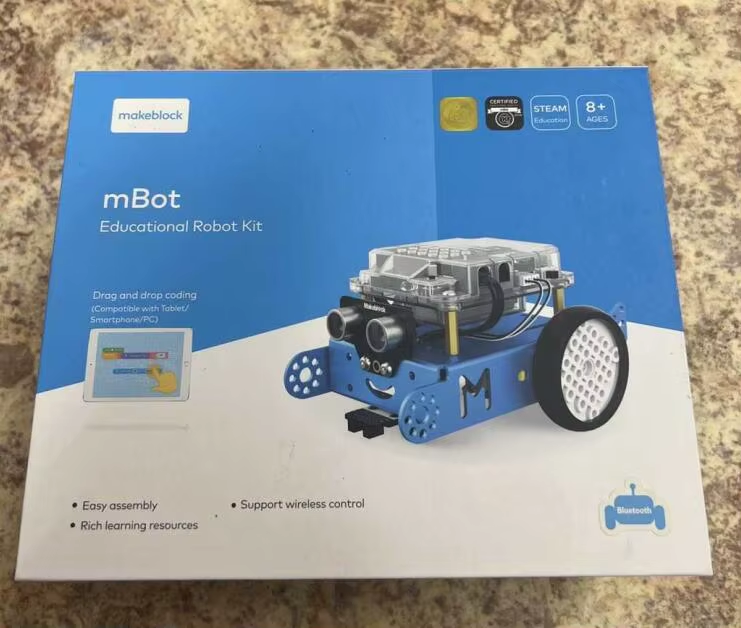
A successful educational API prioritizes simplicity and clarity. Instead of requiring students to understand motor controller registers or I2C communication protocols, the API exposes hardware through intuitive, object-oriented commands. For example, a robot might be represented as an object with methods for movement and sensors as objects with methods for reading data.
Consider a simple task: moving a robot forward. In a block-based system, a student might use a block that says “Drive forward for 20 cm.” The corresponding Python code, facilitated by the API, would look remarkably similar:
# Import the robot's specific library
from educational_robot import Robot

# Initialize the main robot object
bot = Robot()

# A simple command to drive forward
# The API handles the complexity of converting 'cm' to motor rotations
bot.drive.forward(distance=20, unit="cm")

# Turn the robot 90 degrees to the right
bot.drive.turn(angle=90, direction="right")

# Use a sensor
if bot.distance_sensor.get_distance("cm") < 10:
    print("Object detected!")
    bot.led.set_color("red")
In this snippet, the educational_robot library provides a high-level Robot class. The complexity of motor encoders, power levels, and gyroscopic stabilization for a perfect turn is completely abstracted away, allowing the student to focus on the logic of their program.
A Practical Example: Solving a Maze with Sensors
Let’s move to a more advanced, real-world scenario: programming a robot to navigate a simple maze using a “wall-following” algorithm. The robot will use a distance sensor to keep a consistent distance from one wall until it reaches an opening.
This task introduces core programming concepts like loops, conditional logic, and variables in a tangible and engaging way. The student gets immediate physical feedback on whether their code and logic are correct.
from educational_robot import Robot
import time

# --- Configuration ---
# This teaches students about using variables for easy adjustments
TARGET_DISTANCE_CM = 15  # The ideal distance to keep from the wall
FORWARD_SPEED = 50       # Robot speed (0-100)
TURN_SPEED = 30          # A slower speed for more controlled turns

# --- Main Program ---
def main():
    """
    Main function to run the wall-following logic.
    """
    bot = Robot()
    bot.led.set_color("blue") # Indicate program start
    print("Starting wall-following algorithm...")

    # The main loop that runs continuously
    while True:
        # Read the distance from the sensor on the right side
        current_distance = bot.distance_sensor_right.get_distance("cm")

        if current_distance is None:
            # Handle cases where the sensor can't get a reading
            print("Sensor reading error. Stopping.")
            bot.drive.stop()
            break

        # Decision-making logic (the core of the algorithm)
        if current_distance > (TARGET_DISTANCE_CM + 5):
            # Too far from the wall: turn slightly towards it
            print(f"Too far ({current_distance} cm). Turning right.")
            bot.drive.move(left_speed=FORWARD_SPEED, right_speed=TURN_SPEED)
        elif current_distance < (TARGET_DISTANCE_CM - 5):
            # Too close to the wall: turn slightly away from it
            print(f"Too close ({current_distance} cm). Turning left.")
            bot.drive.move(left_speed=TURN_SPEED, right_speed=FORWARD_SPEED)
        else:
            # Just right: drive straight ahead
            print(f"Distance OK ({current_distance} cm). Driving forward.")
            bot.drive.move(left_speed=FORWARD_SPEED, right_speed=FORWARD_SPEED)

        # A small delay to prevent the loop from running too fast
        time.sleep(0.1)

if __name__ == "__main__":
    main()
This example demonstrates how a robotics platform can be used to teach fundamental software development practices. Students learn to define constants, use functions (main), write clear comments, handle potential errors (if current_distance is None), and implement a control loop—all skills that are directly transferable to any other programming domain.
Bridging the Gap: Preparing the Next Generation of Developers
The introduction of Python into these educational tools does more than just teach coding; it builds a critical bridge to higher-level computer science concepts and professional software development. It transforms an engaging hobby into a foundational skillset.
Developing Transferable Computational Skills
When a student writes Python code to control a robot, they are learning a versatile, multi-paradigm language. The skills they acquire are not siloed within the robotics ecosystem. The understanding of variables, data types, loops, conditionals, and functions is universal. This foundation makes it significantly easier for them to later grasp concepts in web frameworks like Django, data analysis with Pandas, or even game development with Pygame. The robot simply provides an exciting and immediate context for learning these abstract concepts.
A Gateway to Advanced Concepts like OOP
As students become more comfortable, educators can use the robotics API to introduce more advanced topics like Object-Oriented Programming (OOP). Instead of just writing a long procedural script, a student could be challenged to encapsulate the robot’s behaviors into their own classes.
For example, they could create a MazeRunner class that contains all the logic for solving a maze.
from educational_robot import Robot

class MazeRunner:
    """
    A class to encapsulate all the logic for a wall-following robot.
    This teaches abstraction and code organization.
    """
    def __init__(self, robot_instance, target_distance=15):
        self.bot = robot_instance
        self.target_distance = target_distance
        self.is_running = False
        print("MazeRunner initialized.")

    def start(self):
        """Starts the wall-following behavior."""
        self.is_running = True
        self.bot.led.set_color("green")
        self._main_loop()

    def stop(self):
        """Stops the robot and the loop."""
        self.is_running = False
        self.bot.drive.stop()
        self.bot.led.set_color("red")
        print("MazeRunner stopped.")

    def _main_loop(self):
        """The private control loop for navigation."""
        while self.is_running:
            distance = self.bot.distance_sensor_right.get_distance("cm")

            # Simplified logic from the previous example
            if distance > self.target_distance + 5:
                # Turn right
                self.bot.drive.move(50, 30)
            elif distance < self.target_distance - 5:
                # Turn left
                self.bot.drive.move(30, 50)
            else:
                # Go straight
                self.bot.drive.move(50, 50)

            time.sleep(0.1)

# --- How to use the class ---
if __name__ == "__main__":
    my_bot = Robot()
    maze_solver = MazeRunner(robot_instance=my_bot, target_distance=20)

    # The main program is now much cleaner!
    maze_solver.start()
    # Let it run for 30 seconds
    time.sleep(30)
    maze_solver.stop()
This example introduces concepts like constructors (__init__), instance variables (self.bot), methods (start, stop), and encapsulation. It's a significant pedagogical step that prepares students for the structured way that large-scale software is written.
Practical Guidance for Educators and Developers
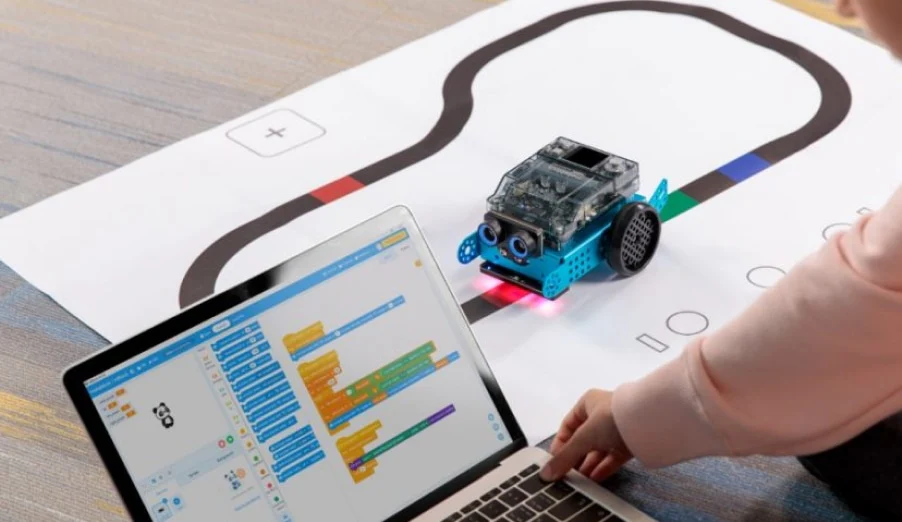
The transition from block-based to text-based coding is powerful, but it requires a thoughtful approach from educators to be successful. Simply enabling the feature is not enough; it must be integrated into the curriculum effectively.
Scaffolding the Learning Curve
- Start with a Hybrid Approach: Use tools that show block and Python code side-by-side. Have students build something with blocks and then analyze the generated code to understand the syntax.
- Focus on One Concept at a Time: Introduce variables first. Then, move to simple `if` statements. Follow with `while` loops. Building concepts incrementally prevents students from feeling overwhelmed.
- Embrace Debugging: Text-based coding introduces a new class of errors: syntax errors. Teach students how to read error messages and debug their code. This is one of the most critical skills for any programmer. A robot that doesn't move is a powerful motivator for finding that missing colon or typo.
Common Pitfalls to Avoid
A common mistake is to try to teach too much too soon. Avoid introducing complex Python libraries like NumPy or advanced data structures. Stick to the simplified robotics API and the core language constructs. The goal is not to teach the entirety of Python but to use Python as a tool to teach computational thinking and problem-solving in a physical context. Keep the focus on the relationship between the code the student writes and the immediate, tangible action of the robot.
Conclusion
The integration of Python into educational robotics platforms is one of the most impactful developments in modern STEM education. This trend is far more than just a new feature; it is a carefully designed bridge that guides students from the foundational logic of visual programming to the power and flexibility of a professional, text-based language. By providing a tangible, interactive, and highly motivating context for learning, these tools are demystifying programming and equipping students with skills that are directly applicable to future academic and professional pursuits. This important python news signals a future where the path to becoming a developer, engineer, or data scientist is more accessible, engaging, and effective than ever before.