Marimo vs Jupyter Notebook: Which Python Environment is Best?
I just spent three hours debugging a machine learning pipeline, only to realize I had executed cell 14 before cell 12. If you write Python for data science, machine learning, or analytics, you know exactly what I am talking about. The hidden state mutation problem in computational notebooks is a rite of passage, but it is also a massive drain on developer productivity.
For over a decade, Project Jupyter has held an absolute monopoly on interactive Python development. It shaped how an entire generation of data scientists interacts with code. But a new challenger has entered the arena, built from the ground up to solve the fundamental architectural flaws of traditional notebooks. When we look at the marimo vs jupyter notebook debate, we are not just comparing two different UI themes; we are comparing two fundamentally different execution models.
As a senior engineer who has deployed hundreds of notebooks to production—and suffered the consequences of doing so—I want to tear down both tools. We are going to look at CPython internals, dependency management, state resolution, and how these environments fit into a modern stack featuring the Uv installer, Polars dataframe, and modern AI workflows. Let’s dive into the technical realities of both environments.
The Core Architectural Difference: Linear vs. Reactive State
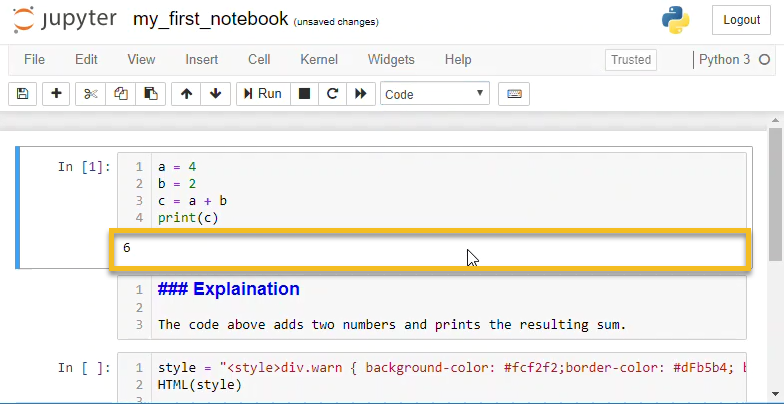
To understand why the marimo vs jupyter notebook conversation is happening, you have to understand the REPL (Read-Eval-Print Loop) architecture that Jupyter is built upon. Jupyter maintains a global namespace. When you execute a cell, whatever variables you define or mutate are updated in that global state. The notebook UI is completely decoupled from the execution order.
The Jupyter Hidden State Problem
Consider this incredibly common Jupyter scenario:
# Cell 1
data_multiplier = 5

# Cell 2
def process_data(val):
    return val * data_multiplier

# Cell 3
data_multiplier = 10
If you run Cell 1, then Cell 2, your function uses 5. If you run Cell 3, and then re-run Cell 2, your function now uses 10. The visual layout of your notebook implies a top-down, linear progression, but the IPython kernel only cares about the chronological order of your clicks. This decoupling leads to un-reproducible notebooks. You hand your .ipynb file to a colleague, they hit “Run All,” and the code crashes because they didn’t run the cells in your exact, undocumented, chaotic sequence.
Marimo’s Reactive DAG Engine
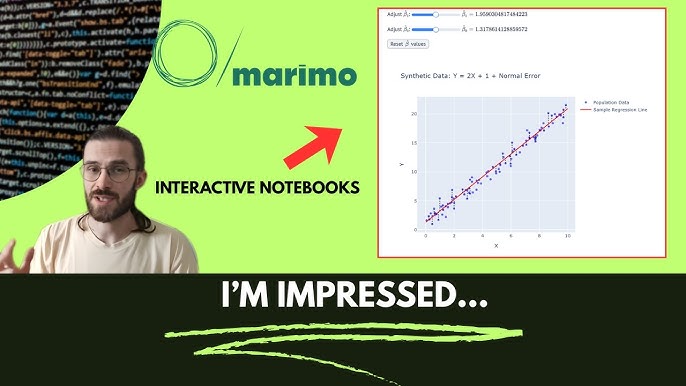
Marimo fundamentally rejects the global REPL model. Instead, it parses the Abstract Syntax Tree (AST) of your Python code to determine exactly which variables are created, read, and updated in every cell. It uses this information to construct a Directed Acyclic Graph (DAG) of your notebook’s execution path.
If you update a variable in one cell, Marimo automatically invalidates and re-runs any downstream cells that depend on that variable. It is completely reactive, much like a spreadsheet or modern frontend frameworks. Furthermore, Marimo strictly enforces that you cannot define the same variable in multiple cells. This eliminates hidden state mutations entirely.
import marimo

__generated_with = "0.8.0"
app = marimo.App()

@app.cell
def __():
    # If you change this value, the downstream cell automatically re-runs
    hyperparameter_k = 15
    return hyperparameter_k,

@app.cell
def __(hyperparameter_k):
    # This cell is bound to hyperparameter_k.
    # It will never execute out of sync with its parent.
    model_result = hyperparameter_k * 2
    print(f"Result is {model_result}")
    return model_result,
By forcing DAG execution, Marimo guarantees that what you see on the screen is exactly what the state of the program is. If a notebook runs on your machine, it will run identically on your colleague’s machine. This alone makes Marimo a massive upgrade for engineering teams that value strict reproducibility.
Developer Experience: Version Control and Linting
Let’s talk about the developer experience (DX). As software engineers, we rely on a robust ecosystem of tools: the Ruff linter for fast code checking, the Black formatter for styling, MyPy updates for strict type hints, and Git for version control. Jupyter has historically been hostile to all of these.
The Nightmare of Jupyter Version Control
Jupyter notebooks are saved as JSON files (.ipynb). These files contain not only your source code but also base64-encoded images, execution counts, and massive output payloads. Have you ever tried to resolve a Git merge conflict in a Jupyter Notebook? It is an exercise in pure misery. You end up staring at broken JSON syntax, trying to figure out if you should keep standard output from a Pandas dataframe or a Matplotlib chart.
While tools like Jupytext exist to strip outputs, they are bolt-on solutions. Jupyter inherently couples code and output in storage.
Marimo’s Pure Python Approach
Marimo notebooks are saved as pure, standard Python files (.py). There is no JSON wrapper. There are no base64-encoded outputs cluttering your repository. When you open a Marimo notebook in VS Code or Vim, it looks like a standard Python script with functions decorated by @app.cell.
Because Marimo files are just Python, the entire modern Python DX tooling works out of the box. You can run the Ruff linter directly on your notebook file. You can enforce Type hints and run MyPy. You can format the file with Black. More importantly, Git diffs are clean, readable, and perfectly suited for standard Pull Request reviews on GitHub. For a senior developer managing a team, this pure Python architecture is the deciding factor in the marimo vs jupyter notebook debate.
Data Engineering: Polars, DuckDB, and Ibis
The data engineering stack has evolved rapidly. We are moving away from memory-heavy Pandas operations toward high-performance tools. The rise of the Polars dataframe, DuckDB python bindings, and the Ibis framework has changed how we process data. How do our notebook environments keep up?
Jupyter’s Static Outputs
In JupyterLab, when you render a massive dataset using recent Pandas updates or PyArrow updates, you typically get a static HTML table. If you want to filter that table, you have to write more Python code in a new cell and execute it. Interactive widgets exist (like ipywidgets), but wiring them up requires boilerplate callback functions and manual state management.
Marimo’s Reactive UI Components
Because Marimo is reactive, it treats UI elements as first-class citizens that trigger state changes. Marimo ships with a built-in UI library (marimo.ui) that integrates flawlessly with modern data tools. If you want to filter a Polars dataframe using a slider, you simply assign the slider to a variable and use its value in your query. When the user drags the slider, Marimo automatically re-evaluates the query cell.
@app.cell
def __(mo):
    # Create a reactive slider
    min_age = mo.ui.slider(start=18, stop=80, step=1, value=25, label="Minimum Age")
    return min_age,

@app.cell
def __(min_age, pl):
    # This cell re-runs in real-time as the slider moves
    df = pl.read_parquet("users.parquet")
    filtered_df = df.filter(pl.col("age") >= min_age.value)
    return df, filtered_df
This allows data engineers to build interactive data exploration tools in seconds. Whether you are running SQL queries via DuckDB or building lazy-evaluated pipelines with Ibis, Marimo allows you to interact with your data dynamically without writing complex event listeners.
Machine Learning and AI: Where Jupyter Still Fights Back
If Marimo is so great, why hasn’t everyone uninstalled Jupyter? The answer lies in heavy Machine Learning (ML) workloads, Deep Learning, and the sheer momentum of the Jupyter ecosystem.
The Power of Manual Execution in ML
Let’s say you are training a massive neural network. You are utilizing the latest PyTorch news, dealing with massive tensors, and your training loop takes 14 hours to run on an A100 GPU. In this scenario, reactivity is actually your enemy. You absolutely do not want a cell to automatically re-run because you accidentally tweaked a variable upstream.
Jupyter’s decoupled, manual execution model is perfect for long-running, stateful tasks. You run your data loading cell once. You run your training cell. While it trains, you can open a cell below it and write evaluation code without risking an accidental trigger of the training loop. Jupyter is the undisputed king of cluster-based, remote execution (think AWS SageMaker, Google Colab, and Databricks).
Marimo for Local LLM and Edge AI
Marimo does offer solutions for long-running tasks—you can use the @mo.stop function or configure cells to run lazily—but it requires a shift in mindset. Where Marimo shines in the AI space is in building interactive interfaces for models. If you are tracking Local LLM deployments or testing Edge AI inference, Marimo is fantastic. You can build a chat interface for a local Llama model in about five lines of code, turning your notebook instantly into a shareable web app.
As the AI ecosystem shifts toward Agentic workflows (using LangChain updates or LlamaIndex news), the ability to build reactive UI components to visualize agent decision trees makes Marimo a highly compelling alternative to building a dedicated Reflex app or using a Flet ui dashboard.
Package Management and Environment Isolation
One of the ugliest anti-patterns in data science is the !pip install command hidden inside a Jupyter Notebook cell. It mutates the global Python environment, leading to dependency hell. If you’ve ever dealt with a corrupted Anaconda environment, you feel my pain.
Modern Python development has shifted toward lightning-fast, reproducible dependency resolvers. Tools like the Rust-based Uv installer, the Rye manager, and the Hatch build system are replacing legacy pip workflows. Because Marimo notebooks are standalone scripts, they integrate beautifully with PEP 723 inline script metadata.
You can define your dependencies directly at the top of your Marimo Python file using standard syntax. When you run the script using uv run notebook.py, Uv will dynamically create an isolated virtual environment, install the exact Scikit-learn updates or NumPy news versions required, and execute the notebook. This makes sharing Marimo notebooks incredibly robust. You aren’t just sharing code; you are sharing a perfectly reproducible, isolated environment.
Testing and CI/CD Pipelines
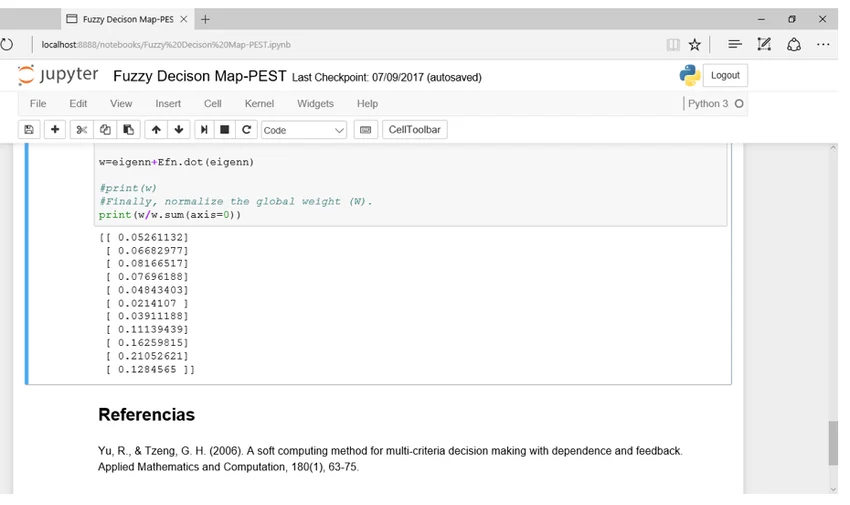
How do you unit test a Jupyter Notebook? The short answer is: painfully. You either use tools like nbval to check output strings, or you use nbconvert to strip the code into a script, which you then test. Neither is ideal for a mature CI/CD pipeline.
In the marimo vs jupyter notebook comparison, Marimo wins the testing category flawlessly. Because a Marimo notebook is just a Python module with functions, you can import it directly into your test suite and use standard Pytest plugins.
# test_notebook.py
import pytest
from my_marimo_notebook import process_data

def test_process_data():
    # We can test the notebook's internal functions directly!
    result = process_data(10)
    assert result == 20
This capability bridges the gap between exploratory data science and rigorous software engineering. You can apply SonarLint python rules, run Python security vulnerability scans, and execute automated Python testing without treating your notebook like a second-class citizen in your repository.
Looking to the Future: Performance and Alternative Runtimes
The Python ecosystem is undergoing a massive performance renaissance. With CPython internals being overhauled, the upcoming GIL removal (Global Interpreter Lock), and the introduction of Free threading in Python 13, concurrent execution is becoming a reality. We are also seeing the rise of the Python JIT compiler and alternative runtimes like Rust Python and the Mojo language.
Jupyter’s kernel architecture is highly adaptable to these new runtimes—there is already a Mojo Jupyter kernel. However, Marimo’s DAG architecture is uniquely positioned to take advantage of Free threading. Because Marimo knows the exact dependency graph of your cells, it theoretically has the information required to execute independent cells in parallel automatically. While this is still evolving, the architectural foundation of Marimo is perfectly aligned with the future of high-performance, concurrent Python.
When to Choose Jupyter Notebook
Despite my criticisms, Jupyter is not going anywhere. You should stick with Jupyter if:
- You are running massive Deep Learning jobs: If your cells take hours to run and you need absolute manual control over the execution trigger, Jupyter’s decoupled state is an advantage.
- You rely on cloud environments: If your company’s infrastructure is built on JupyterHub, Databricks, or SageMaker, the migration cost to Marimo might outweigh the benefits.
- You need polyglot support: Jupyter supports R, Julia, Scala, and dozens of other languages via its extensive kernel ecosystem. Marimo is currently Python-first.
When to Choose Marimo
You should immediately adopt Marimo if:
- You value reproducibility: If you are tired of hidden state bugs and want a guarantee that your notebook runs top-to-bottom flawlessly.
- You treat notebooks as code: If you want clean Git commits, PR reviews, and the ability to use standard linters and formatters.
- You build data apps: If you want to turn your data analysis into a shareable, interactive web app without rewriting it in FastAPI news or using a heavy frontend framework.
- You want seamless testing: If you want to import your notebook functions directly into Pytest.
FAQ Section
Can I convert my existing Jupyter Notebooks to Marimo?
Yes, Marimo provides a built-in CLI command to convert existing Jupyter notebooks. By running marimo convert your_notebook.ipynb > new_notebook.py, Marimo will translate your cells into its functional format. However, you may need to refactor cells that rely on hidden state or multiple variable re-assignments.
Does Marimo support remote execution like JupyterHub?
While Marimo is primarily optimized for local development and direct app deployment, it can be run on remote servers. However, it does not currently have the massive enterprise infrastructure and centralized user management ecosystem that JupyterHub provides for large organizations.
Is Marimo better for Git version control than Jupyter?
Absolutely. Because Marimo saves notebooks as standard, pure Python (.py) files without embedded JSON outputs or base64 images, Git diffs are clean and readable. You can resolve merge conflicts exactly as you would with any normal Python script.
Can I run Marimo notebooks as standalone web apps?
Yes, this is one of Marimo’s strongest features. By running marimo run your_notebook.py, Marimo serves the notebook as a read-only, interactive web application. Users can interact with sliders, buttons, and dataframes without seeing the underlying code.
Final Verdict
The marimo vs jupyter notebook debate represents a fundamental shift in how we view exploratory programming. Jupyter Notebooks normalized a rapid, chaotic style of development that prioritized immediate feedback over software engineering rigor. It democratized data science, but it left us with a legacy of unmaintainable, untestable .ipynb files.
Marimo proves that we do not have to compromise. By enforcing a reactive DAG architecture and saving files as pure Python, Marimo brings the strictness of traditional software engineering to the interactive notebook experience. If you are building modern data pipelines, experimenting with local LLMs, or simply want to stop pulling your hair out over hidden state bugs, Marimo is the superior environment. It is time to treat our exploratory code with the same respect we give our production applications.